HI, a question, can i hide that button?
(it takes time to load)
if it says ‘502 bad gateway’, reload a few times, if still cannot, try
and use that method : reload and reload when 502 bad gateway
Forum Archive
Hide the settings button when editing
Please reformat your first link to work like your second one  so that other members of this Forum do not need to click on a link.
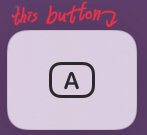
@yaley sorry, where is this button in Pythonista?
@cvp I solved the problem. Reply your question first. The button shows when you edit a ui.View().Textfield()using a Bluetooth keyboard. And i solved that problem by changing the settings. General > Keyboard > Shortcuts (turn off this one) and General > Keyboard > Predictive ( turn off this one too )
Then, the problem solved :D But i have another question too! See it, the topic is about checking multi-keys press
@yaley said
using a Bluetooth keyboard
Ok, I never use a BT kbd, except when I've tried to help you in the "down keys" topic
Oh i see, but not just BT kbt working on, every kbt except virtual kbt are working!
@yaley understood but I use only virtual kbd, except for your original request
Oh i see, you are using Mac or what?
@yaley I only use my iPad but I also have an iMac and I had used its keyboard to test the code I posted in your original topic