Forum Archive

Basic questions about ui module

pruppert222

I am reading this section of the ui module documentation.

The documentation says to create a "new ‘User Interface’ file in your library." What is meant by the "library" and how do I create a User Interface file in it? So far, I can only seem to access the UI designer from within creating a workflow. Also, the documentation later says that I can specify a function in the action section of the inspector for some ui elements. I do not see an action section, at least when creating a ui from within a workflow. Any clarification on that.

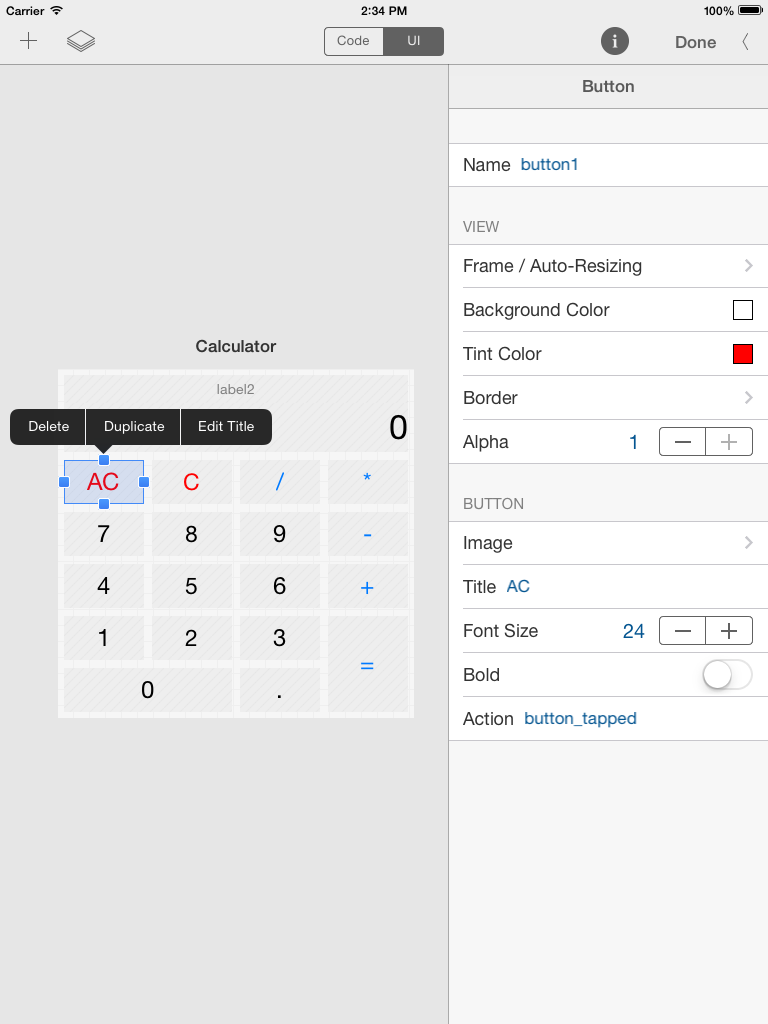
Using the UI Designer
alt text

pruppert222

Well to partially answer my own question, it seems the ui module documentation is outdated and refers to beta features that are no longer present in the current version of the app. Specifically, there is no no longer an action field in the inspector where a function name can be specified. See picture of 1.1 beta below. There does not appear to be any way to identify a function in the action panel either. What I don't know is if there was also a way to create and save "User Interface" files to be referred to by other python scripts but that was also removed from the App Store version of Editorial. It is also not clear how much else of the documentation is out of date.

These things have unfortunately made the ui module documentation very confusing, complicating the ease of learning the new module and functionality. Looking forward to a fix, but I'm sure Ole is catching up on much needed rest. :-)

codelahoma

Add a Run Python Script action to a workflow, then click Code Editor, or open the Scratchpad from Console view.

That's where you'll find the full Custom UI editor, as shown in your screenshot, complete with action field.

I still haven't worked out what naming your UI file or library mean.

pruppert222

Ah. That helps a little. I was looking in the custom UI action for the interface above. I now see that it shows this interface in the code editor for the python script action.

However, like you, I am still not sure about what is meant by creating a user interface file in the library.

Maybe someone in the know can chime in…

codelahoma

My best guess is that it's a crossover error (and, fingers crossed, preview) from Pythonista documentation, since the Pythonista document collection is called a library.

Note: I have no idea whether Pythonista is or is not getting the ui module, and am too lazy to search on it right now. For all I know, it's announced and imminent.

pruppert222

Plausible idea, but with there being Code and UI screens side-by-side in Editorial, it seems there must be some way to link the two up. Otherwise why even put the UI screen in there?

codelahoma

From the ui.load_view documentation:

In Editorial, the path can almost always be omitted (it’ll load the UI that’s associated with the current workflow action automatically).

Just don't do like I did and build a UI in Scratchpad, because I don't think there's any way to then copy it to elsewhere.

pruppert222

I think I found the answer. You're right. The documentation seems to be referring to a pending Pythonista update. You can see in the documentation linked to below for the ui.load_view([path]) function that it is not necessary to create a user interface file or specify the path to such a file in Editorial. Simply leaving the path parameter in that function blank will associate the Code and UI screens in Editorial.

So the Python code for the simple demo from documentation that is pictured in my first post should actually read as:

import ui

def button_tapped(sender):
    sender.title = 'Hello'

ui.load_view().present('sheet')

http://omz-software.com/editorial/docs/ios/ui.html#api-reference-functions

omz

Sorry about the confusion! You're right, the note about the library refers to the upcoming Pythonista update, and isn't accurate for Editorial, I forgot to edit that.

omz

Just don't do like I did and build a UI in Scratchpad, because I don't think there's any way to then copy it to elsewhere.

Have a look at this workflow I just made:

→ Scratchpad to Workflow

It converts the current contents of the scratchpad (both code and UI) to an equivalent "Run Script" action in a new workflow.

codelahoma

Thanks, ole, for the workflow and the app that makes it possible.

I can't wait to start plumbing the depths of all this new power.