beer2011
Jun 01, 2014 - 00:52
Hello, all.
Editorial1.1 is very interesting...
I do not know how to retrieve the contents of the character of the 'TextField'.
Could you tell me, please?
Hello, all.
Editorial1.1 is very interesting...
I do not know how to retrieve the contents of the character of the 'TextField'.
Could you tell me, please?
I have been playing around with TextField and I believe you are looking for the text attribute of a TextField.
For example:
import ui
text_field = ui.TextField()
the_text = text_field.text
In this example the value of the_text should be None, but in the UI it will be whatever you type into it.
Hope this helps you out :)
I briefly poked around too, and I am not sure but believe you may need to set up a delegate to save the text attribute of the TextField to a variable once the TextField is finished editing - if you want to use that text for some other later purpose.
@pruppert TextField also has an action that gets called when you finish editing, this is often easier to set up than a delegate.
Ah, thanks. I should have poked around a little more to see that.
@blmacbeth, Thanks!
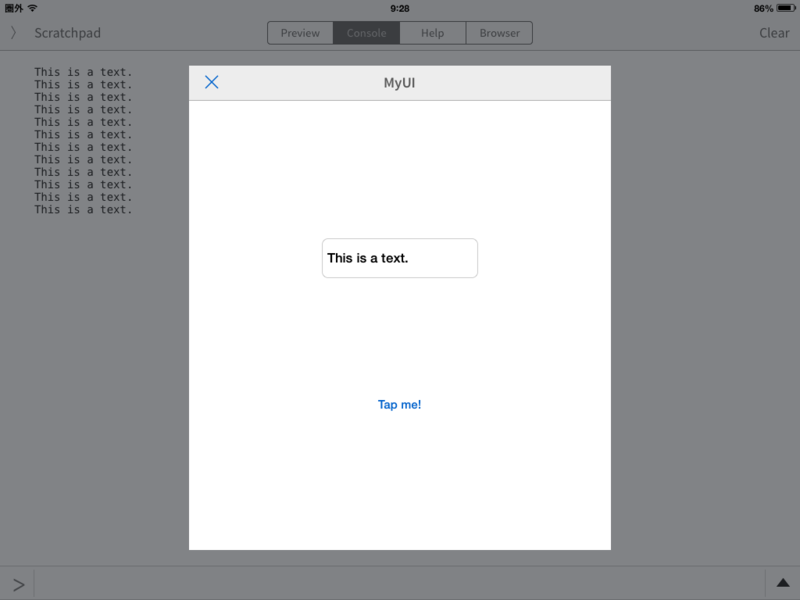
A character is not displayed although it was performed as follows.
Where is wrong?
'TextField' of UI , already,the character has been entered.
ex. 'This is a text'
# -*- coding: utf-8 -*-

import ui
import console

def button_tapped(sender):
    # sender.title = 'Hello'
    text_field= ui.TextField()
    text = text_field.text
    print text ## don't display 'This is a text'

ui.load_view().present('sheet')
@pruppert, Thanks!
I cannot understand the thing of 'delegate' well.
rather than -- it is weak. (^^;;;
I would like to learn anew.
@beer2011 You're creating a new TextField in the action that is never actually on screen.
If you have an existing text field in your UI, you can refer to it like this:
import ui

def button_tapped(sender):
    text_field = sender.superview['textfield1'] # assuming textfield1 is the name of your text field
    print text_field.text

ui.load_view().present('sheet')
The way this works is that you get the superview ("parent") of the button (sender) and from that, get a child view named "textfield1" (assuming that the button and the text field are in the same container, which is probably the case).
@omz, Thanks!
It was able to do well.
It seems that I was doing that it was completely different. (- -;;
And update of Pythonista is also carried out to expectation.