mikael
Dec 22, 2020 - 16:29
Added a constraint that updates the label height to fit the text when label width changes:
at(label).text_height = at(label).width

... and the opposite, for completeness, flexing width when the height changes.
Using these tools and Samer's PageControl wrapper, I took a stab at creating something like @resserone13's Protective Equipment browser, that scrolls and rotates every which way as needed.
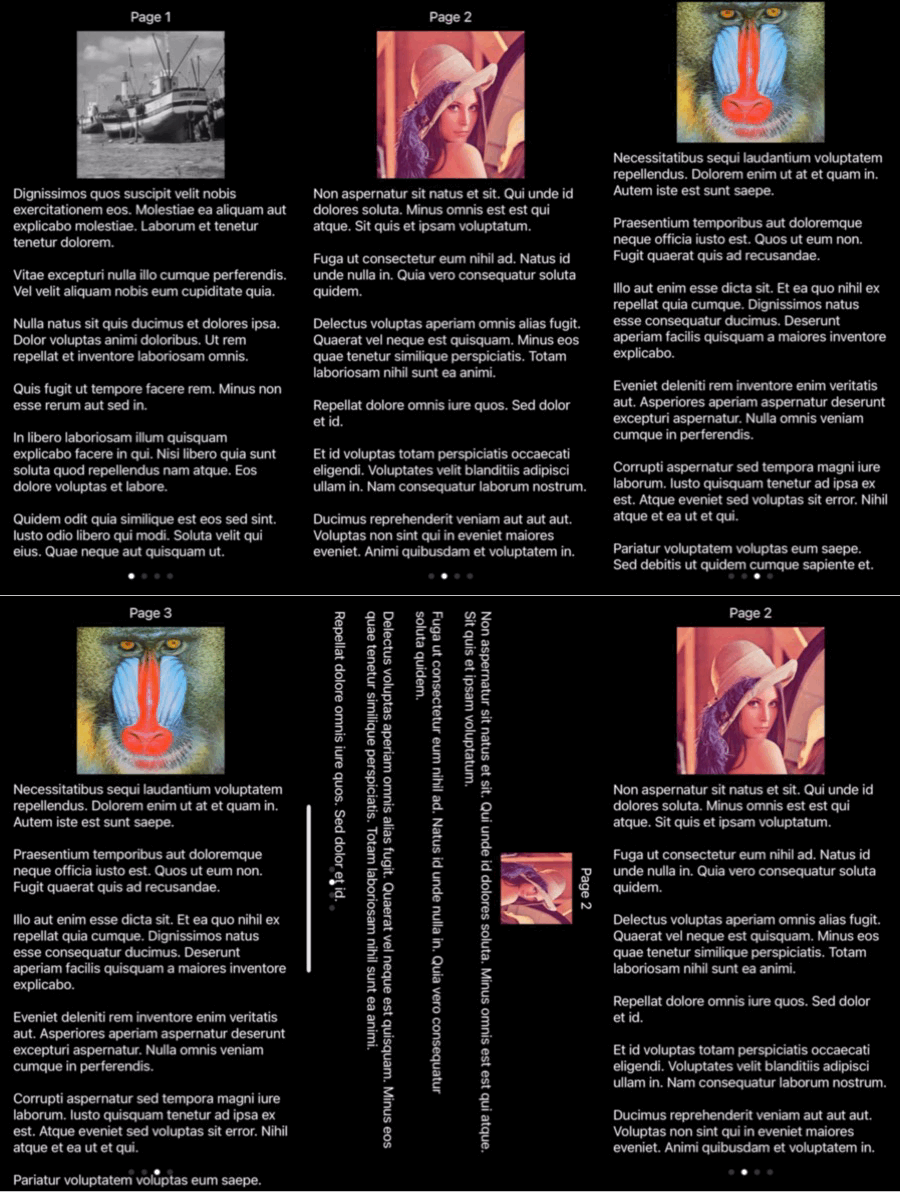
Here's the code:
import faker
import ui

from ui3.anchor import at, attr, dock
from ui3.pagecontrol import PageControl
from ui3.safearea import SafeAreaView


def create_page(scroll_view, title_text, image_name, body_text):
    container = ui.View()
    dock(container).sides(scroll_view)

    title = ui.Label(text=title_text,
        text_color='white', alignment=ui.ALIGN_CENTER,
    )
    title.size_to_fit()
    dock(title).top(container)

    image_area = ui.ImageView(image=ui.Image(image_name),
        content_mode=ui.CONTENT_SCALE_ASPECT_FIT,
    )
    dock(image_area).below(title)
    at(image_area).height = at(scroll_view).height / 4
    body = ui.Label(text=body_text,
        text_color='white', number_of_lines=0,
    )
    dock(body).below(image_area)

    at(body).text_height = at(body).width
    at(container).fit_height = at(body).frame
    attr(scroll_view).content_size = at(container).size

    return scroll_view


fake = faker.Faker()

root = SafeAreaView(background_color='black')
pages = PageControl(frame=root.bounds, flex='WH')
root.add_subview(pages)

for i, image_name in enumerate(['test:Boat', 'test:Lenna', 'test:Mandrill', 'test:Peppers']):
    scroll_view = ui.ScrollView(
        background_color='black',
    )
    pages.add_subview(scroll_view)
    create_page(
        scroll_view,
        f"Page {i+1}",
        image_name,
        "\n\n".join([fake.text() for _ in range(6)]),
    )
root.present('fullscreen', hide_title_bar=True)