Forum Archive

Font listing/selection?

trey

I’m quite stumped as to how to list or select fonts inside a program or from the console. There are some examples here that are said to work, but they’re from posts that are years old and depend on a consoleViewController() method that appears to no longer exist and for which I can’t find a replacement.

There are a few fonts used in Examples programs, but unless I missed something, all of them are hardcoded.¹

Of course I can use the plus sign in the editor to select a font, but short of selecting each in turn and hardcoding them into my program so that they can, in turn, be chosen from, I can’t figure out how to give the user of my program a font chooser. (And since I have extra fonts that may not be the same as your extra fonts, even that hardcoding tactic is unlikely to work.)

When I saw that ImageFont.truetype() had been modified for Pythonista, I thought perhaps I could use matplotlib.font_manager to find TrueType files, but it appears the matplotlib FontManager can only see files inside the matplotlib distribution (mostly Vera fonts), and even so, the FontManager’s outputs can’t be used in a console.set_font() call or a truetype() call—I haven’t tried other font methods outside matplotlib, but I assume they’d act the same.

A code snippet that would simply list assign the known fonts to a list and then use one of them would at least get me started. Apologies if I’m missing something very obvious.

Btw: is there a reason that console.set_font() either can be run with 2 valid arguments (which changes the font), or 0 arguments (which resets the font to default), but if you run, say, console.set_font('NoSuchFont', 18), you simply get a null-op—it neither throws an exception, nor resets the font? (Also, I can’t find a console.get_font() equivalent, even by digging through the guts of console—it seems like the currently selected font isn’t stored anywhere.)


¹ Not all of them are directly hardcoded; some are stored in variables that then get used. But they’re all hardcoded in appearing in the text of the program rather than being programmatically found.
JonB

See some of the examples in this thread
https://forum.omz-software.com/topic/2554/how-can-i-get-console-width/22

In particular, consoleViewController is a objc method of the app delegate. There are some examples of how to get the default font.

There are some methods to load true type fonts... Under UIFont iirc.

mikael

@trey, to start with:

import objc_util

UIFont = objc_util.ObjCClass('UIFont')

def get_fonts(weights=False):
    families = sorted([str(family) for family in UIFont.familyNames()])

    if not weights:
        return families

    return sorted([str(font) for fonts in [
            UIFont.fontNamesForFamilyName_(family) for family in families
        ]
        for font in fonts
    ])

Called without arguments, you get the all the system font families like ”Verdana”. Include the weights=True and you get versions for available weights, like ” Verdana-BoldItalic”.

mikael

@trey, iOS 13 brought a font picker controller, which allows selecting also non-system fonts.

Quick example below, click the button to pick a new font for the button.

import ui
from objc_util import *

SUIViewController = ObjCClass('SUIViewController')
UIFontPickerViewController = ObjCClass('UIFontPickerViewController')
UIFontPickerViewControllerConfiguration = ObjCClass('UIFontPickerViewControllerConfiguration')

def fontPickerViewControllerDidPickFont_(_self, _cmd, _controller):
    controller = ObjCInstance(_controller)
    font = str(controller.selectedFontDescriptor().objectForKey_('NSFontFamilyAttribute'))
    open_button.font = (font, open_button.font[1])

PickerDelegate = create_objc_class(
    'PickerDelegate',
    methods=[fontPickerViewControllerDidPickFont_],
    protocols=['UIFontPickerViewControllerDelegate']
)

def show_font_picker(sender):
    root = sender.superview

    conf = UIFontPickerViewControllerConfiguration.alloc().init()
    picker = UIFontPickerViewController.alloc().initWithConfiguration_(conf)

    delegate = PickerDelegate.alloc().init()
    picker.setDelegate_(delegate)

    vc = SUIViewController.viewControllerForView_(
        root.objc_instance)
    vc.presentModalViewController_animated_(picker, True)

root = ui.View()

open_button = ui.Button(
    title='Pick font',
    tint_color='white',
    background_color='#6c6c6c',
    flex='TRLB'
)
open_button.width = 150
open_button.height = 60
open_button.center = root.bounds.center()
open_button.action = show_font_picker

root.add_subview(open_button)

root.present('fullscreen', animated=False)
trey

@JonB said:

See some of the examples in this thread
https://forum.omz-software.com/topic/2554/how-can-i-get-console-width/22

Those are exactly some of the cases I mentioned in my original post that make use of consoleViewController and I said didn’t work. But you write:

In particular, consoleViewController is a objc method of the app delegate. There are some examples of how to get the default font.

As I wrote initially, I saw this, and none of that code works for me—the traceback says consoleViewController does not exist. I concluded that given how old it was—and that some other forum posts I found earlier mentioned it had been removed—that it was no longer workable and couldn’t be made workable.

Does it work for you, and if so, did you need to make modifications?

There are some methods to load true type fonts... Under UIFont iirc.

As I mentioned, I tried that as well; I could at best get a path to a ttf file, but couldn’t turn that into something that I could use in console, canvas or ui display.

trey

@mikael said:

@trey, to start with:

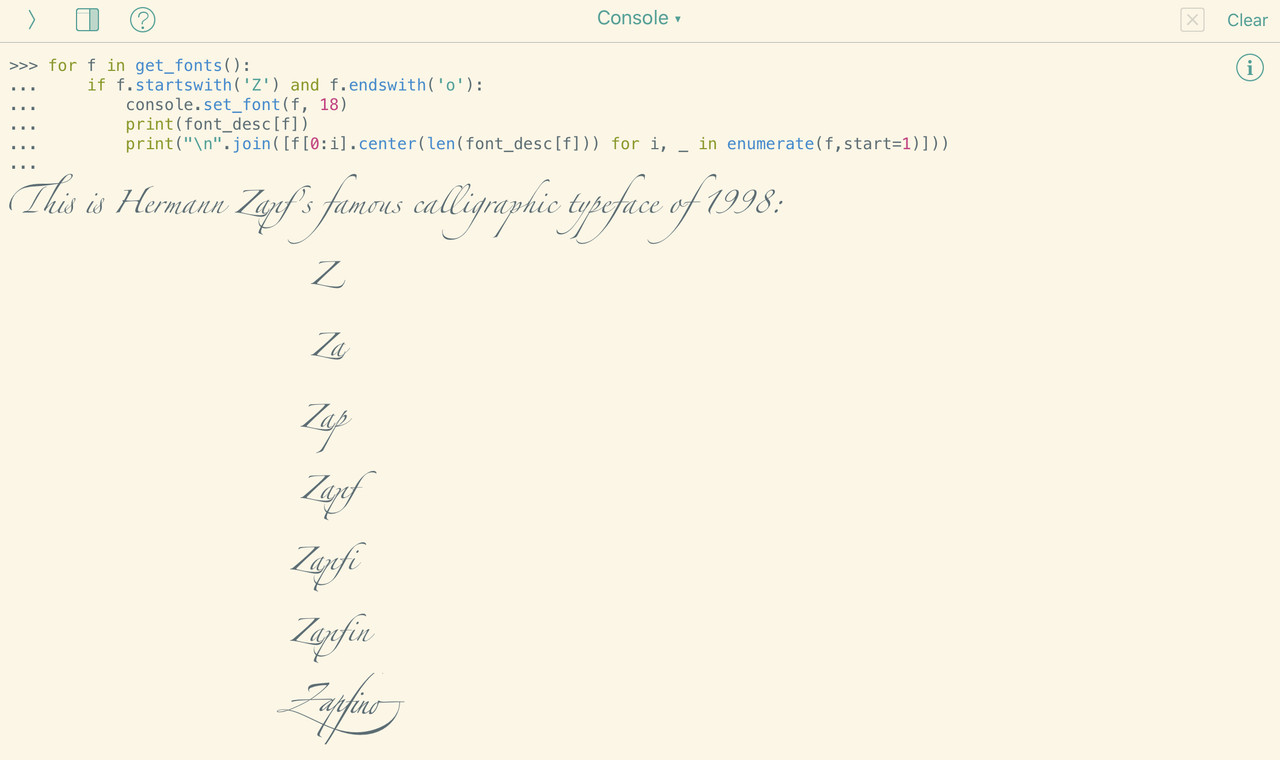
Perfect!

IMG-1232.jpg

Thanks!

JonB

@trey Ahh, latest version has a new view controller structure.

You can get to the console view controller like so:

>>> app=UIApplication.sharedApplication()
>>> cvc=app._rootViewControllers()[0].accessoryViewController().tabViewControllers()[0]
>>> cvc.outputFont()
<b'UICTFont': <UICTFont: 0x14dd34f50> font-family: "Menlo-Regular"; font-weight: normal; font-style: normal; font-size: 14.00pt>