So I'm noticing a couple things which are related to the way theming and control appearance works in pythonista 3.3 on iOS 13.
First: using the editor.present_themed() or apply_ui_theme() methods with "Default" or None as the theme name is presenting with whatever theme is stored in the ThemeName user preference, and not respecting the ThemeNameLightMode and ThemeNameDarkMode preference value, which stores the actual theme to use.
No big deal, of course, since it just means I have to check with ui.get_ui_style() and set the theme accordingly.
But I'm also noticing that some of the iOS 13 control appearances are not being presented in the appropriate mode. This is most apparent for the ui.SegmentedControl, as it appears to always be presented in the light mode, even when presented with a dark mode theme.
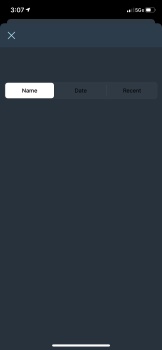
If I dive into objc and change the UISegmentedControl.overrideUserInterfaceStyle property to explicitly match the current mode, it does change the control to have the correct appearance.
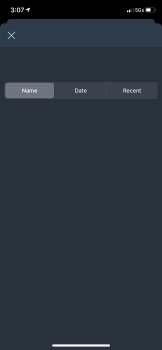
So, I'm guessing this means that the actual light/dark mode is not being applied along with the theme?
For now it looks like if I just force the overrideUserInterfaceStyle property on the view presenting my UI, it propagates.
(anyone know why my imgur images aren't displaying? can anyone see the images if they follow the links by clicking the image?)
