masscode
Mar 31, 2020 - 16:01
I love Pythonista, but please add these:
- A keyboard shortcut for Comment/Uncomment : “Command + /“
- Ability to copy text from Console
I love Pythonista, but please add these:
- A keyboard shortcut for Comment/Uncomment : “Command + /“
- Ability to copy text from Console
@masscode
if you open dropdown on console there is copy all text option or you can select and copy/paste directly.

for comment uncomment you can write scripts using Editor module to do this. there are many posts like this one to help you along this.
@masscode
for your second request.. place this in your library and add it to your keyboard scripts.
from editor import *


def main():
    text = get_text()
    selected_range = get_selection()
    selected_string = text[selected_range[0]:selected_range[1]]
    all_lines = text.splitlines()
    selected_line_range = get_line_selection()
    selected_lines = text[selected_line_range[0]:selected_line_range[1]].splitlines()


    comment = str('#')
    replacement = str('')
    nl = str('\n')
    for line in selected_lines:
        if line.strip().startswith(comment):
            replacement += line.replace(comment, str(''))
        else:
            replacement += comment + line
        if line != selected_lines[-1]:
            replacement += nl

    replace_text(selected_line_range[0], selected_line_range[1], replacement)
    set_selection(selected_line_range[0])
this will comment any selected line or if non selected it will comment the line the cursor is currently placed.
if a line in selection is already commented it will remove that comment #
if this wont work because editor cannot be ran in appextensions then place it in editor actions
@stephen said:
place it in editor actions
Is that Pythonista tools?
@cvp no i just whiped that one up real fast. didnt have time to search my repos for the tools one 😅

@stephen ok, sorry, it is what we called Pythonista tools in the past, due to its icon 🙄

@cvp lol i thought you were refering to the script in pythonista repo for comment/uncomment lol i appoligise lol
Copying text from Console work great.
About the other one, I think I’ve followed your instructions, but I don’t seem to be able to make it work.
I’ve created a file with the code you provided, and added a shortcut in the “Editor Action”.
In the script, it does not specify the key combination, so I would think I need to set it in the Shortcut, but I don’t see that. I see:
- Run script
- Arguments
- Reset environment
- Custom title
- Icon
- Icon colour
I would add screenshots, but I don’t see that option. How are you doing it?
@masscode
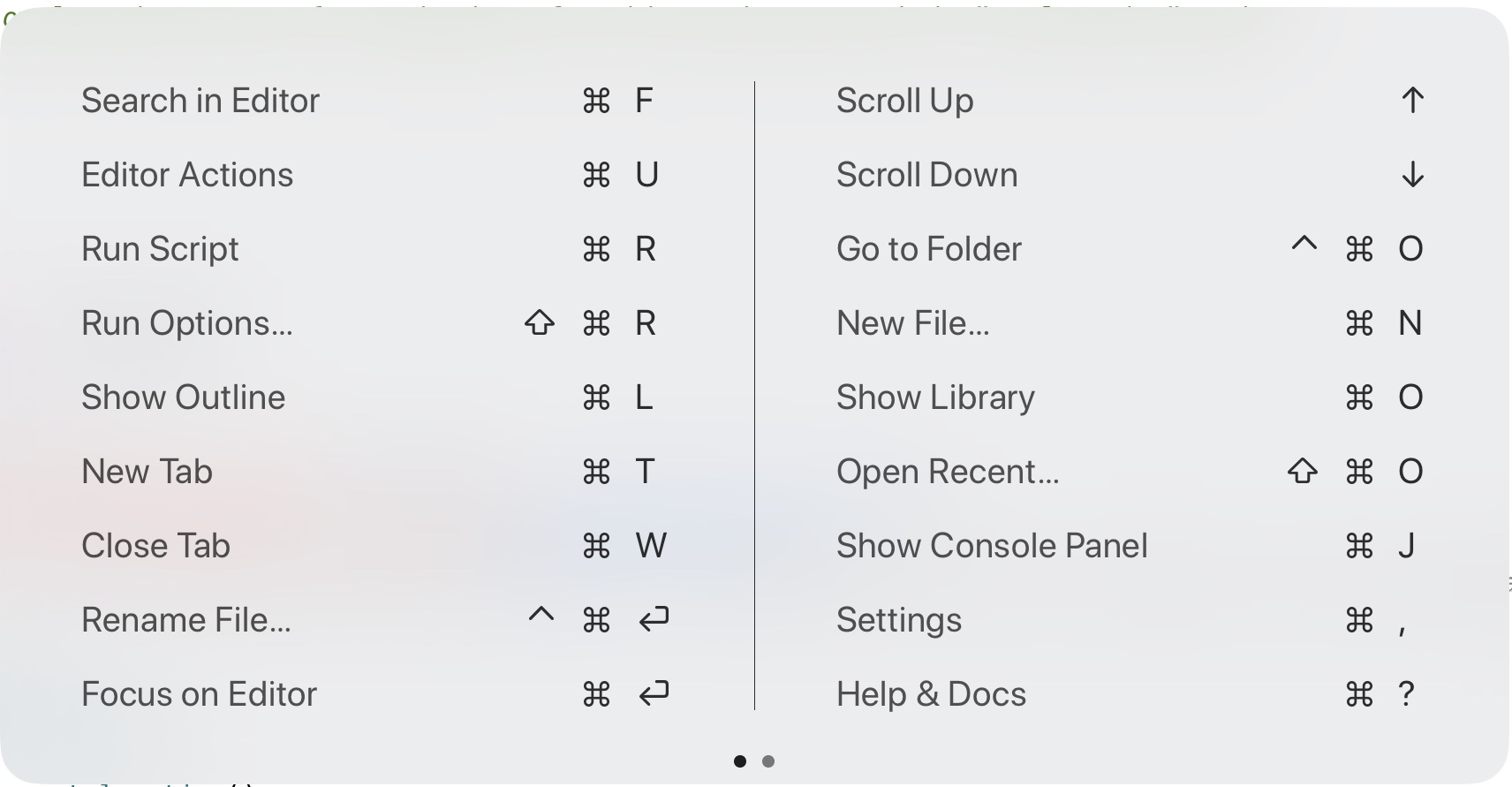
you can try using ⌘ + U to access Editor Actions but im not sure if you can set a script to a key. but when u open the "wrench" u can select the comment script to run it on ur current open script.
@stephen
I’m a little confused now.
I was hoping to have a feature where I can hit ⌘ + / to comment or uncomment the current line the cursor is on, or a block of lines if multiple lines are selected, very much like it is available in some IDEs.
The script seems to do that, but I cannot trigger it by a keyboard shortcut.
Is what you are suggesting, please a cursor on a line I want to comment, hit ⌘ + U, and touch the shortcut on the screen? (Image below)
In the ideal world, I would like to use the ⌘ + / keyboard shortcut without having to touch the screen since my hands are already there.

@masscode
so far all i can see is you have to use ObjC_utils to acomplish this. im only just getting into this area so im goingbto see what i can figure out butbchance is you might have to wait for one of the vetrans to pick this up. i havnt quit tho!
Got it! Thanks @stephen!
@stephen said:
vetrans
I'm one but I don't have an external keyboard, thus no experience at all, sorry
@masscode I don't know anything and thus I can't help you but did you check Black Mamba
@cvp
I didn’t know about Black Mamba till now. I’m on it!
@cvp @stephen
I’ve just installed Black Mamba and the “toggle comments” works beautifully!!
Thanks guys!!
@masscode no problem have a good day
Color themes..
Could the color scheme Halcyon from VSCode be added to Pythonista..?
@mattaeuss said:
e Halcyon from VSCode be added to Pythonista..?
not the exact theme. this is becaus VS has manymore elements available to color. but this is as closevas i could bet i hope it will surfice
Halcyon theme
here is where i referenced the colors..
an it maybe look like this ? And definitely no red lol ;) that’s how vscode renders python code under that theme.
@stephen
an it maybe look like this ? And definitely no red lol ;) that’s how vscode renders python code under that theme.
@mattaeuss if you cnnsend clearer img i will be more tht hppy i set you up. you should post it tho uimh 
@stephen
@stephen
Any way special keywords such as return, try, except, for, etc might get the ability to have a different computer set for them different than regular keywords such as def ?
@mattaeuss
i tried a while back to alter Keywords and Tokens and was Unsuccessful. but that may change now but a much faster answer to this could be provided by a few members i know of.
@ccc
@JonB
@mikael
~~@cvp~~ 🙁
Might one of you know of a way to alter the functionality of Python Keywords/Tokens?
@mattaeuss said:
@stephen
ill see what can do for this one
@stephen said:
Might one of you know of a way to alter the functionality of Python Keywords/Tokens?
You can remove me from your list. I'm really not a Python specialist, I even did'nt know this word "token" 😂
Thanks, I just learned something new
@stephen
Sorry typo, meant to say for those special keywords to be able to be themed differently than other keywords.
@mattaeuss
ill have to look into pygments
@stephen if I understand your question-- you want a different category for some keywords --like def -- from other like return?
>>> [str(r.scopeName()) for r in ObjCClass("OMPython3SyntaxHighlighter").rules()]
['decorator', 'docstring', 'docstring', 'docstring', 'docstring', 'string', 'string', 'string', 'string', 'operator', 'functiondef', 'classdef', 'keyword', 'builtinfunction', 'comment', 'function', 'module_import', 'from_import', 'number', 'number', 'number']
>>> p=ObjCClass("OMPython3SyntaxHighlighter").rules()[12]
>>> p.scopeName()
<b'__NSCFConstantString': keyword>
>>> p.regex()
<b'NSRegularExpression': <NSRegularExpression: 0x16405d10> \b(and|del|not|while|as|elif|global|or|with|assert|else|if|pass|yield(\s+?from)?|break|except|print|exec|in|raise|continue|finally|is|return|for|lambda|try|self|True|False|None|async|await|nonlocal)\b 0x0>
in theory it seems like it should be possible to modify the regex pattern of the keyword scope OMSyntaxRule. Maybe add another scope, which you include in the theme dict. I have no idea if any of this can be safely done. my first attempt at modifying a pattern did not work. my first attempt at creating a new OMSyntaxRule resulted in a crash. It would certainly be possible to swizzle OMSyntaxRule.regex() to hijack the pattern based on scope name, but that seems real inefficient.
Limited success:
from objc_util import *
c=ObjCClass('OMSyntaxRule')

import editor

#removed return from the list
newrule=c.ruleWithName_pattern_options_('keyword',r'\b(and|del|not|while|as|elif|global|or|with|assert|else|if|pass|yield(\s+?from)?|break|except|print|exec|in|raise|continue|finally|is|for|lambda|try|self|True|False|None|async|await|nonlocal)\b',0)
ev=editor._get_editor_tab().editorView()
sh=ev.syntaxHighlighter()
rules=sh.syntaxHighlightingRules()
rules
#<b'__NSArrayI': (
#   ...
rules[12].scopeName()
#<b'__NSCFConstantString': keyword>
newruleslist=list(rules)
newruleslist[12]=newrule
sh.syntaxHighlightingRules=ns(newruleslist)
sh.syntaxHighlightingRules()[12]
#<b'OMSyntaxRule': <OMSyntaxRule: 0x15d59120>>
newrule
#<b'OMSyntaxRule': <OMSyntaxRule: 0x15d59120>>
sh.syntaxHighlightingRules()[12].regex()
#<b'NSRegularExpression': <NSRegularExpression: 0x15d0b740>(and|del|not|while|as|elif|global|or|with|assert|else|if|pass|yield(\s+?from)?|break|except|print|exec|in|raise|continue|finally|is|for|lambda|try|self|True|False|None|async|await|nonlocal 0x0>

'''sure enough, i have installed my modified rule.  return is not highlighted.
        typing return now does not highlight it, however i dont know how to force a file to rehighlight what is already displayed!

next up: create a new theme rule, and show we can highlight return with a new scopeName.  also, figure out how to swizzle OMPython3SyntaxHighlighter to use our new highlighter when opening a file in the first place.
'''
out of time for today... but it seems that the syntaxhighlighter class has a rules class attribute that is probably used for creating new instances. I have to check if class attributes can be written using the objc runtime (objc_util dies not support it, it seems), but at a minumum we should be able to swizzle it to reurn what we want, thus when reloading a file or opening a new file, we will get the proper keyword rules.
@JonB yes i believe the request was to have highlighting different for diferent keywords. i was spending most of my time on the example game i posted so tomorrow i should be able to jump in with yall on this one
Any updates? @stephen or @JonB
@mattaeuss
not on my part yet
