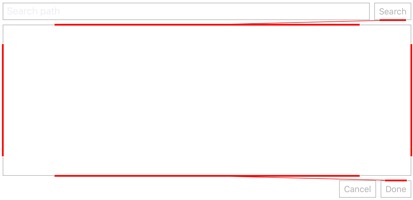
Python wrapper for Apple iOS UI view layout constraints, available as anchor.py on GitHub. Run the file to see a sample constraint-driven layout.
Constraints?
Constraints are used to determine how views are laid out in your UI. They are an alternative to the x, y, frame method used in Pythonista by default.
Constraints are defined as equations, which are dynamically evaluated as the dimensions or views of your UI change. For example, the following constraint places the Cancel button always beside the Done button:
cancel_button.at.trailing == done_button.at.leading_padding

(Here, 'trailing' and 'leading' are same as 'right' and 'left', but automatically reversed if your device is set for a right-to-left language.)
Constraints can use the following attributes:
left, right, top, bottom, width, heightleading, trailingcenter_x, center_ylast_baseline, first_baselineleft_margin, right_margin, top_margin, bottom_margin, leading_margin, trailing_margin- Use these when you want to leave a standard margin between the view and the edge of its superview (inside margin).
left_padding, right_padding, top_padding, bottom_padding, leading_padding, trailing_padding- Use these when you want to leave a standard margin between the view and the view next to it (outside margin).
Why would I need them?
It depends on your style and preferences regarding building UIs.
You can create pretty much all the same layouts and achieve the same level of dynamic behavior just using Pythonista's regular frame, flex attribute and the layout method.
The reason to consider constraints is that they, and the convenience methods in this wrapper, provide perhaps a more human way of expressing the desired layout. You can use one-liners for "keep this view below that other view, no matter what happens", or "this view takes over the top half of the screen, with margins", without fiddling with pixel calculations or creating several ui.Views just for the layout.
Anatomy of a constraint
Constraints have this syntax:
target_view.at.attribute == source_view.at.attribute * multiplier + constant
Notes:
* target view is now constrained and unaffected by setting x, y, frame or center - but you can read these values if you need to know the absolute shape and position of a view. source view is unaffected and remains in the 'frame mode', until used on the left side of constraint.
* Relationship can be ==, <= or >= (but nothing else).
* You can also / a multiplier or - a constant, and have several multipliers and constants, but they will only be combined per type (i.e. * 6 + 1 / 3 - 5 is the same as * 2 - 4).
* Multiplier can be zero or the source left out of the equation, but only if the target attribute is a size attribute, e.g.
* target.at.height == 100
* Target and source attributes cannot mix:
* size and position attributes
* vertical and horizontal position attributes
* absolute and relative position attributes (e.g. leading and left)
These are all Apple restrictions, and the wrapper checks for them to avoid an ObjC exception and a Pythonista crash. Please let me know if you find other crashing combos.
Enabling constraints
Pythonista UI views do not natively support constraints, of course, so we need to enable them.
The explicit option is to call enable on the UI view, maybe at view creation. For example:
import anchor, ui
label = anchor.enable(ui.Label(alignment=ui.ALIGN_CENTER))
label.at.width == 100
An alternative is to use already-enabled versions of every Pythonista UI view class, defined in anchor.py, so you can save a little typing by importing it like this:
from ui import *
from anchor import *

label = Label(alignment=ALIGN_CENTER)
label.at.width == 100
Ambiguous constraints
When you constrain a view, you have to unambiguously constrain both its position and size. If you miss something, the view usually is not visible at all. To debug constraints, you can either check an individual view for problems with:
view.at.is_ambiguous
Or check your whole view hierarchy by:
anchor.check_ambiguity(root_view)
This will print out the whole hierarchy, and return any ambiguous views as a list.
To be continued