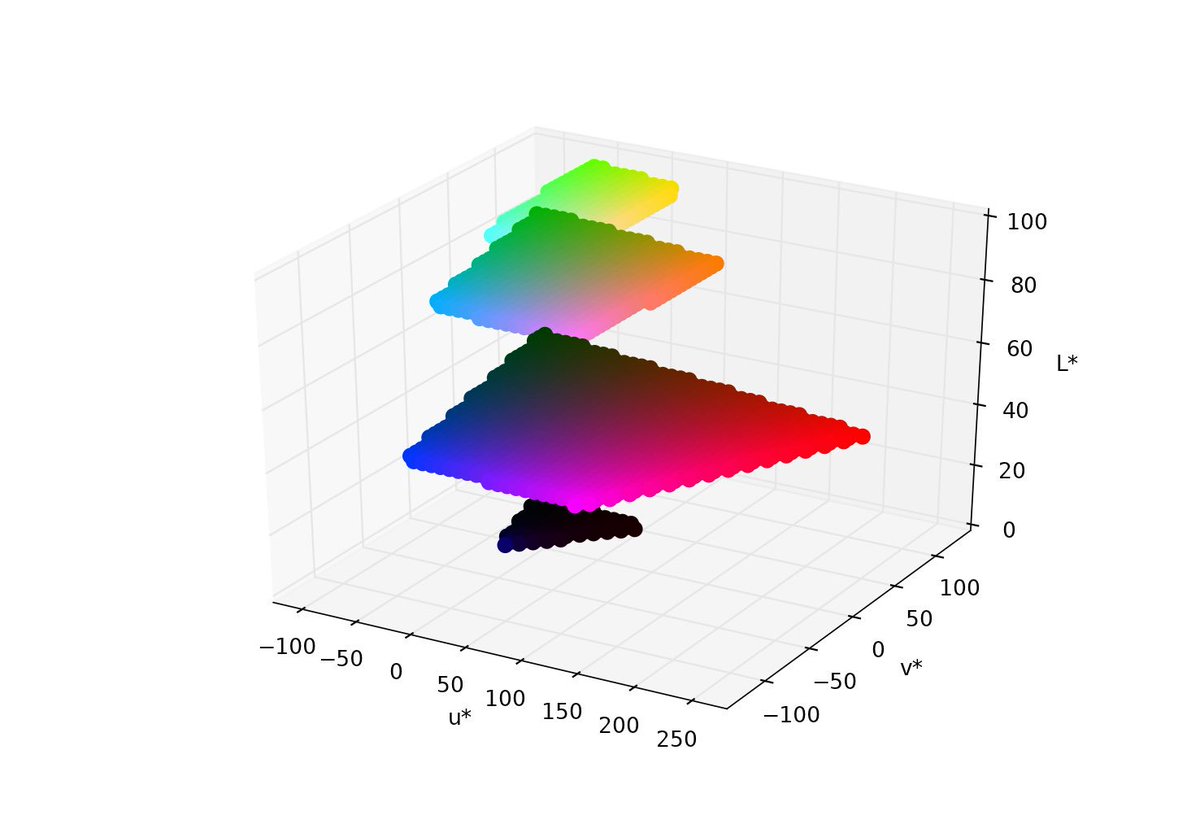
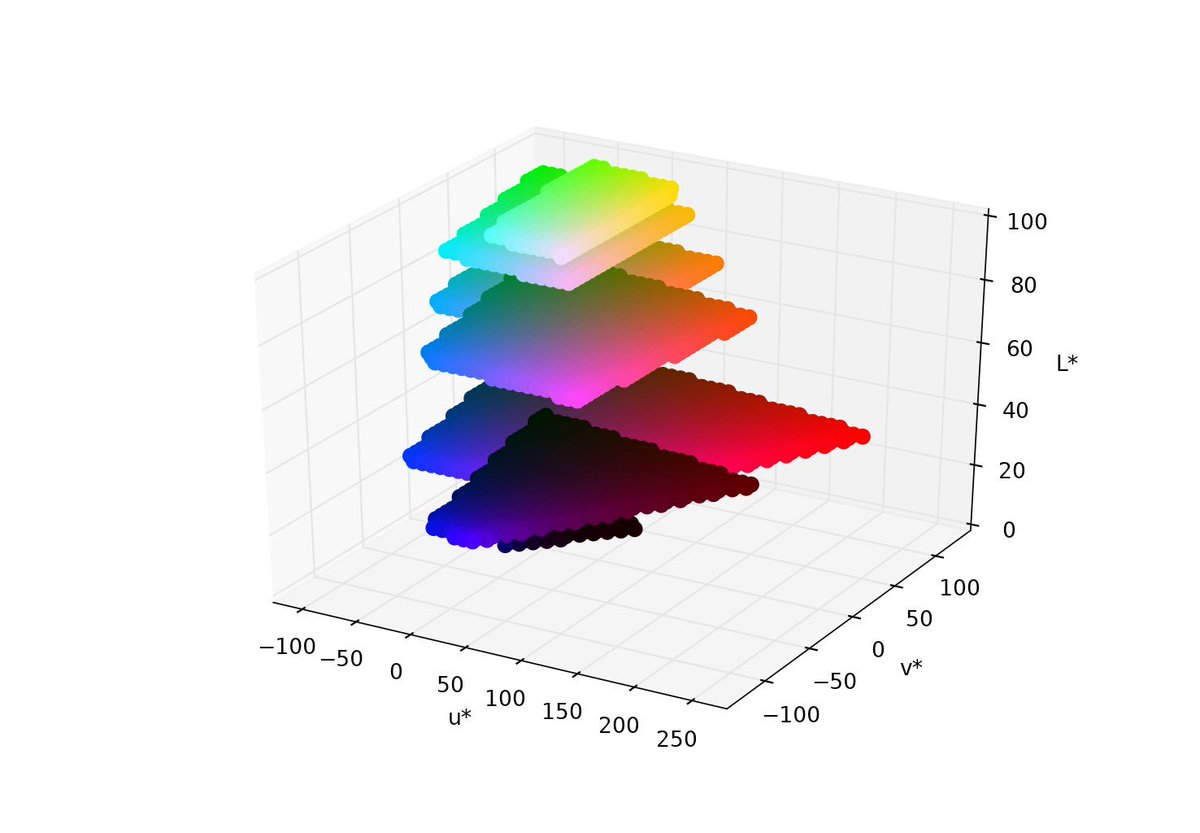
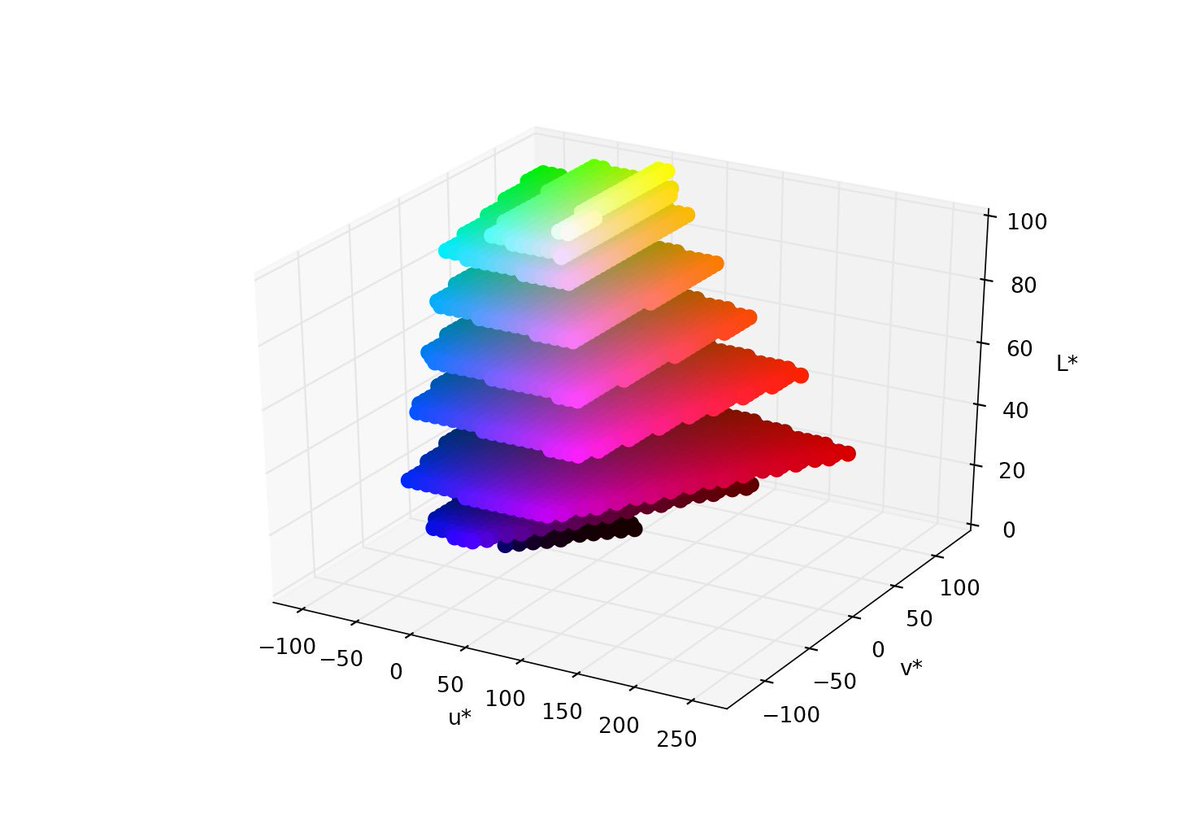
here is the code
def rgb_to_XYZ(r, g, b):
  ref = 0.17697

  r /= 255.0
  g /= 255.0
  b /= 255.0

  x = (r*0.49 + g*0.31   + b*0.2    ) / ref
  y = (r*ref  + g*0.8124 + b*0.01063) / ref
  z = (r*0.0  + g*0.01   + b*0.99   ) / ref
  return x,y,z

def XYZ_to_rgb(X, Y, Z):
  r =  X * 0.41847     - Y * 0.15866   - Z * 0.082835
  g = -X * 0.091169    + Y * 0.25243   + Z * 0.015708
  b =  X * 0.00092090  - Y * 0.0025498 + Z * 0.17860

  r = int(r*255+0.5)
  g = int(g*255+0.5)
  b = int(b*255+0.5)

  return r,g,b

# un utilitaire pour vérifier si le rgb est bien valide (pas tjrs le cas!)
def inside(mini,x,maxi):
  return (mini<=x) and (x<=maxi)
def valid_rgb(r,g,b):
  return inside(0,r,255) and inside(0,g,255) and inside(0,b,255)

d = 6.0/29.0
d3 = d*d*d
d2 = d*d
y0 = 4.0/29.0
# un blanc de reference est necessaire pour les calculs CIE
r = 5.650675255693056/100 # necessaire pour convertir l'illuminant Y=100 dans le meme range que XYZ
D65 = (95.047*r,100.0*r,108.883*r)
Xn,Yn,Zn = D65

def _forward(t):
  if t > d3:
    y = pow(t,1.0/3.0)
  else:
    y = t/3.0/d2 + y0
  return y

def _inverse(t):
  if t > d:
    y = t*t*t
  else:
    y = 3*d2*(t-y0)
  return y

# le systeme L*,u*,v* que j'appelle 'sLuv' comme 'star Luv'
# dans ce systeme, la distance euclidienne entre couleurs est a peu pres conforme à la JND de l'oeil

Un = 4*Xn/(Xn+15*Yn+3*Zn)
Vn = 9*Yn/(Xn+15*Yn+3*Zn)

def XYZ_to_sLuv(X, Y, Z):
  L = 116*_forward(Y/Yn) - 16
  s = (X+15*Y+3*Z)
  if s==0 :
    return 0.,0.,0.
  Up = 4*X/s
  Vp = 9*Y/s
  u = 13*L*(Up-Un)
  v = 13*L*(Vp-Vn)
  L,u,v = round(L,3),round(u,3),round(v,3)
  return L,u,v

def rgb_to_sLuv(r,g,b):
  X,Y,Z = rgb_to_XYZ(r,g,b)
  return XYZ_to_sLuv(X, Y, Z)

def sLuv_to_XYZ(L,u,v):
  if L==0 :
    return 0.,0.,0.
  Y = Yn * _inverse((L+16)/116)
  Up = u/13/L + Un
  Vp = v/13/L + Vn
  x = 9*Up/(6*Up-16*Vp+12)
  y = 4*Vp/(6*Up-16*Vp+12)
  X = x*Y/y
  Z = (1-x-y)*Y/y
  return X,Y,Z

def sLuv_to_rgb(L,u,v):
  X,Y,Z = sLuv_to_XYZ(L,u,v)
  return XYZ_to_rgb(X, Y, Z)

def get_sLuv_limits():
  Lmin,Umin,Vmin = rgb_to_sLuv(0,0,0)
  Lmax,Umax,Vmax = Lmin,Umin,Vmin
  for r in [0,255]:
    for g in [0,255]:
      for b in [0,255]:
        L,u,v = rgb_to_sLuv(r,g,b)
        Lmin,Umin,Vmin = min(Lmin,L),min(Umin,u),min(Vmin,v)
        Lmax,Umax,Vmax = max(Lmax,L),max(Umax,u),max(Vmax,v)
  return Lmin,Umin,Vmin,Lmax,Umax,Vmax

def get_limits(toLuv):
  Lmin,Umin,Vmin = toLuv(0,0,0)
  Lmax,Umax,Vmax = Lmin,Umin,Vmin
  for r in [0,255]:
    for g in [0,255]:
      for b in [0,255]:
        L,u,v = rgb_to_sLuv(r,g,b)
        Lmin,Umin,Vmin = min(Lmin,L),min(Umin,u),min(Vmin,v)
        Lmax,Umax,Vmax = max(Lmax,L),max(Umax,u),max(Vmax,v)
  return Lmin,Umin,Vmin,Lmax,Umax,Vmax

from numpy import linspace

def getPoints(zz,toLuv,toRGB,x,y,z,c):
  Lmin,Umin,Vmin,Lmax,Umax,Vmax = get_limits(toLuv)
  L = Lmin + zz*(Lmax-Lmin)
  for vv in linspace(0.0,1.0,num=50):
    v = Vmax - (Vmax-Vmin)*vv
    for uu in linspace(0.0,1.0,num=50):
      u = Umin + (Umax-Umin)*uu
      #print(u,v)
      r,g,b = toRGB(L,u,v)
      if valid_rgb(r,g,b):
        x.append(u)
        y.append(v)
        z.append(L)
        c.append((r/255,g/255,b/255))
        #print(u,v,L,)
  return True

def show3d(toLuv,toRGB):
  Lmin,Umin,Vmin,Lmax,Umax,Vmax = get_limits(toLuv)
  Lmin,Umin,Vmin,Lmax,Umax,Vmax = round(Lmin),round(Umin),round(Vmin),round(Lmax),round(Umax),round(Vmax)
  from mpl_toolkits.mplot3d import Axes3D
  import matplotlib.pyplot as plt
  fig = plt.figure()
  ax = fig.add_subplot(111, projection='3d')

  ax.set_xlabel('u*')
  ax.set_xlim([Umin,Umax])
  ax.set_ylabel('v*')
  ax.set_ylim([Vmin,Vmax])
  ax.set_zlabel('L*')
  ax.set_zlim([Lmin,Lmax])

  x,y,z,c = [],[],[],[]
  for zz in {0.1, 0.3, 0.5, 0.7, 0.8,  0.9, 0.95 }:
    #x,y,z,c = getSurface(zz,toLuv,toRGB)
    getPoints(zz,toLuv,toRGB,x,y,z,c)
  ax.scatter(x, y, z, s=80, color=c, marker='o', alpha=1.0, linewidth=0)
  plt.show()
  fig.savefig('test.png')
  plt.close(fig)

if __name__ == '__main__':
  import console as cs
  cs.clear()
  show3d(rgb_to_sLuv,sLuv_to_rgb)