Forum Archive

Open file in edit mode

charmaex

Hi there,

I want to create a file within a specified folder (using a template) and then have the keyboard opened to start right away.

Right now I have two options:

  1. use "create document" and have to move the file manually
  2. use "set file content" and "open document" and have to tap on the screen to invoke the keyboard.

I also tested "replace selected text" and added the cursor but this didn't help either.

Is there a way to create a file in a dropbox folder and start typing right away?
omz

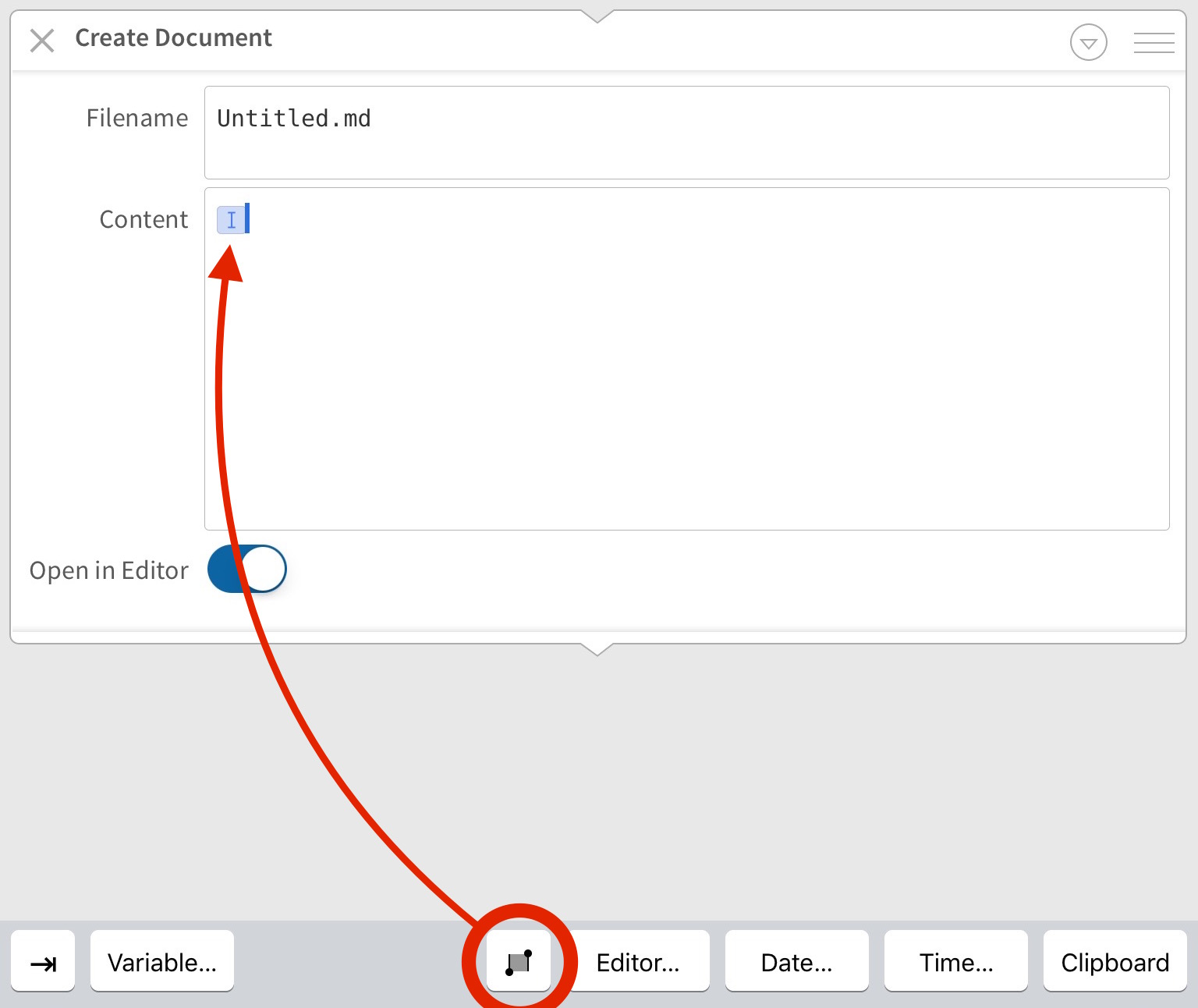
It's actually simpler than that, though perhaps not entirely obvious. When you edit a template, simply make sure that the text area contains a cursor placeholder. The default templates already do this; in your own, you can set the cursor position using the "selection" button on the extra keyboard row:

Screenshot

omz

Hmm, now that I read your question again, I think I completely misunderstood your problem...

Unfortunately, I can't think of an easy way to do this when you need to add the file to a specific folder, and not the one that's currently selected.

charmaex

Okay :-/

Is there a way to open a folder and then use create document?

omz

No, sorry. If that was possible, I would have suggested it as a workaround.

charmaex

Okay, maybe an idea for a future release to add the option "open in edit mode" to "open document" :)

mjakubowiak

You can also add folder path to filename in "create document", eg. folder/document.txt

That should solve it if you have only one folder in mind, but if you want to choose it every time, you could generate a list of folders in a current folder at the beginning (I'm sure it's possible but I won't be able to give you a working example quickly).

Edit: Try this: http://www.editorial-workflows.com/workflow/5804267457740800/GF-gZVAMdeU

But it will only work when run from top Dropbox folder.