I've been experimenting a lot with the new objc_util module lately, and I thought I'd share a few more advanced examples. So here's the first...
Please note that this relies on a couple of changes I made in the very latest build (uploaded about an hour ago), and it won't work in previous betas.
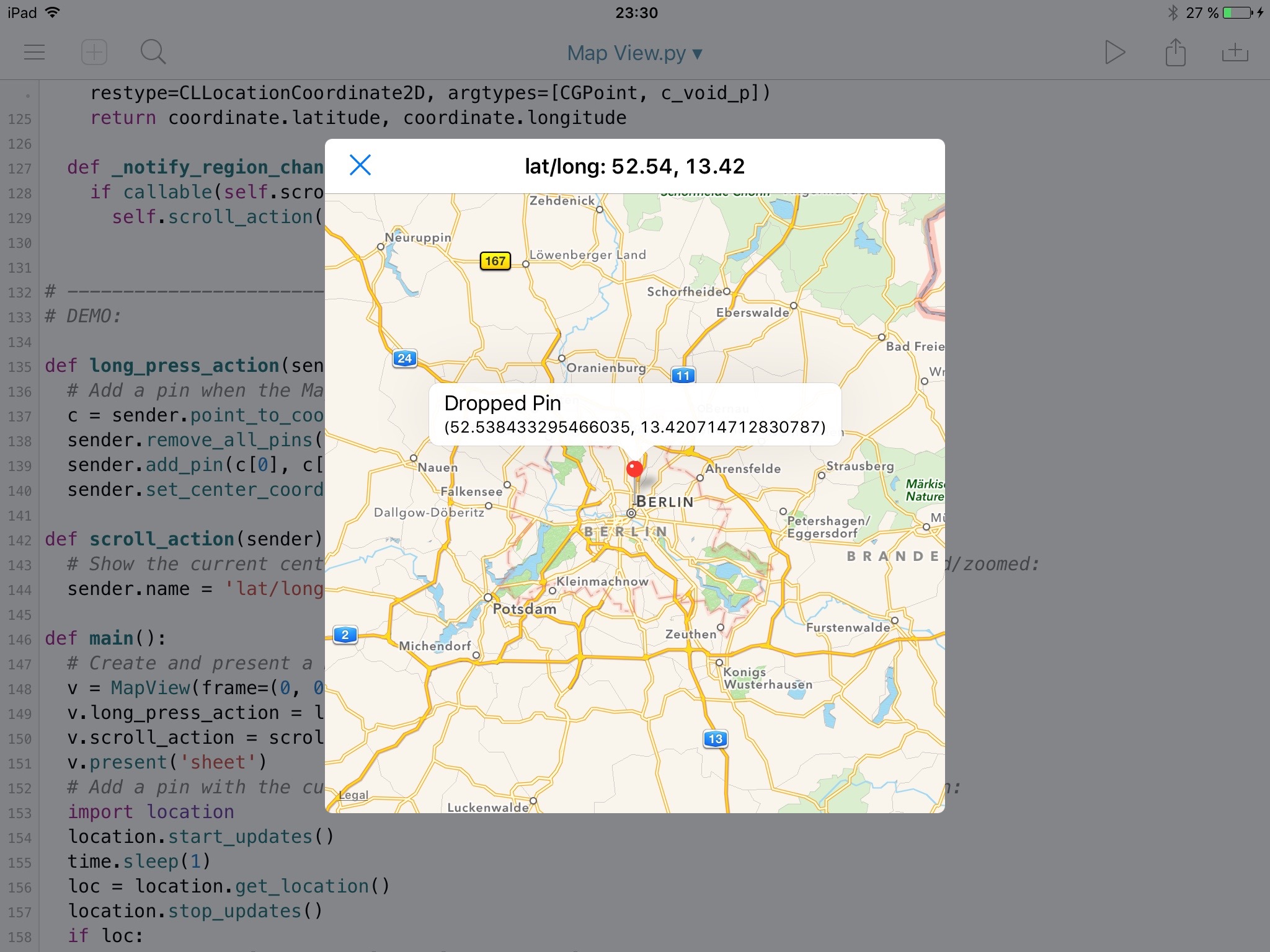
The example shows how you can combine the ui and objc_util modules to create entirely new UI elements, in this case a "native" MapView (which has been a popular feature request).
The MapView class should be usable pretty much like any other ui.View, but it doesn't implement all features of the underlying (fairly complex) MapKit APIs, so you might want to extend it, if you need things like satellite view etc.
Some of the code is fairly advanced, and probably requires some low-level knowledge about the Objective-C runtime to understand completely. To support being notified about scroll/zoom events, it was necessary to create a new Objective-C class that acts as the MKMapView's delegate. Creating new Objective-C classes is quite difficult to get right, and unfortunately there isn't really a good way to make this easier. The rest of the code is hopefully easier to understand – the only other "special" thing is the use of structs that aren't supported directly by objc_util (CLLocationCoordinate2D etc.). This makes it necessary to specify the return/argument types of some method calls explicitly (via the new restype/argtypes keyword arguments).
Note: I haven't tested this on a 32-bit device so far, and it's possible that some minor changes are needed to make it work on both architectures.
Feel free to ask me if there's something you don't understand in the code.