PDF Highlighter

Highlighter is a powerful PDF reader with advanced annotation tools and an intuitive, polished interface.

You can highlight important passages in your documents, add text notes and even freehand sketches — all saved directly to the PDF file, so that you can review them later on your Mac or PC using standard software like Acrobat Reader.

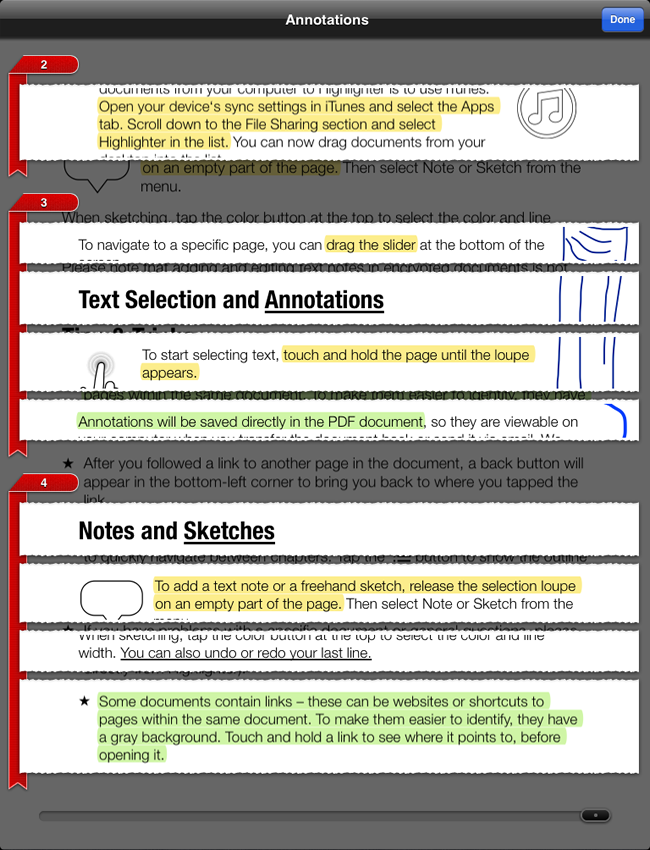
With the innovative clipping view you get a quick overview of all your annotations in the original page layout.

Highlighter also supports standard PDF features like links and outlines.

Visit App Store $6.99

Features

Intuitive Text Selection
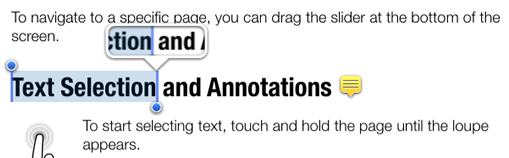
Selecting text in Highlighter works just like in Safari or Mail: Touch and hold to invoke the loupe, drag the blue handles to adjust your selection.
Powerful Markup Tools
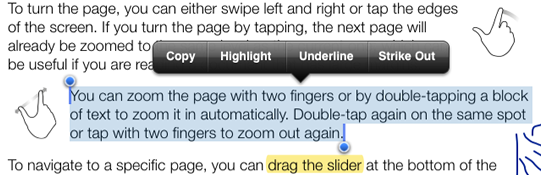
You can highlight, underline and strike out selected text — all in different colors and fully editable, even after saving the document.
Freehand Sketches
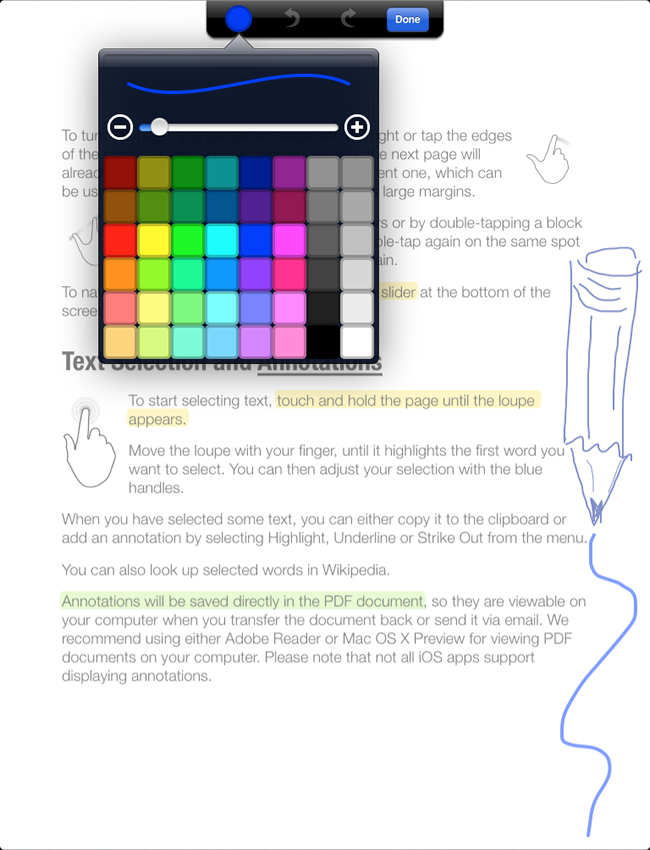
Draw with your fingers anywhere on the page. Highlighter's sketch tool automatically smoothes your lines.
Text Notes
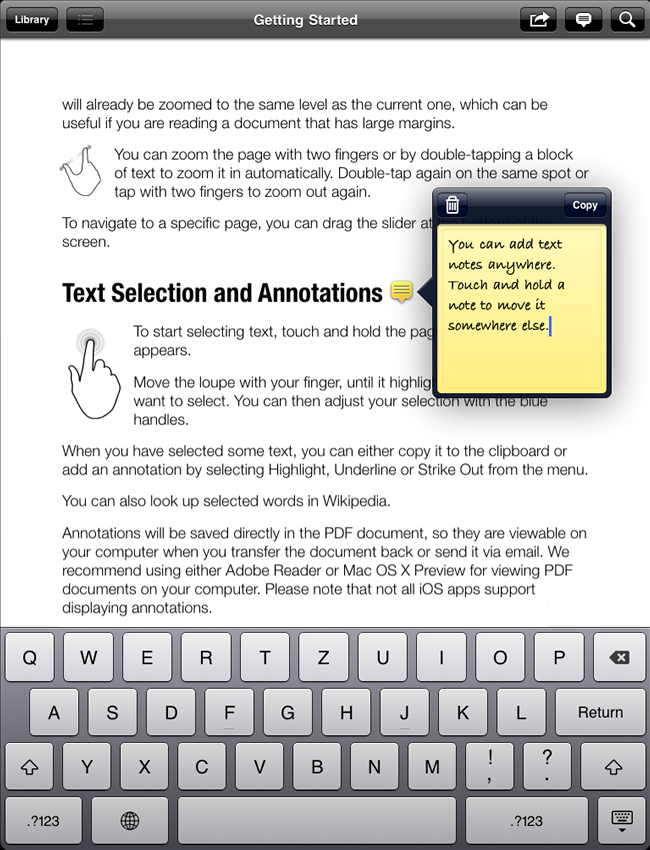
To add comment to a document, you can use sticky notes.
Annotations Overview
See all your annotations at a glance in the context of the original page layout.
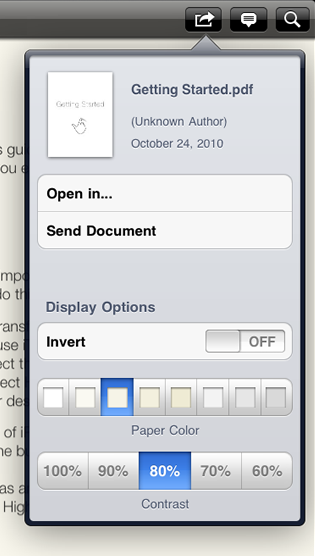
Flexible Display Options
Prefer sepia as your paper color? Or white on black at night? A little less contrast is easier on the eyes? Highlighter has you covered.
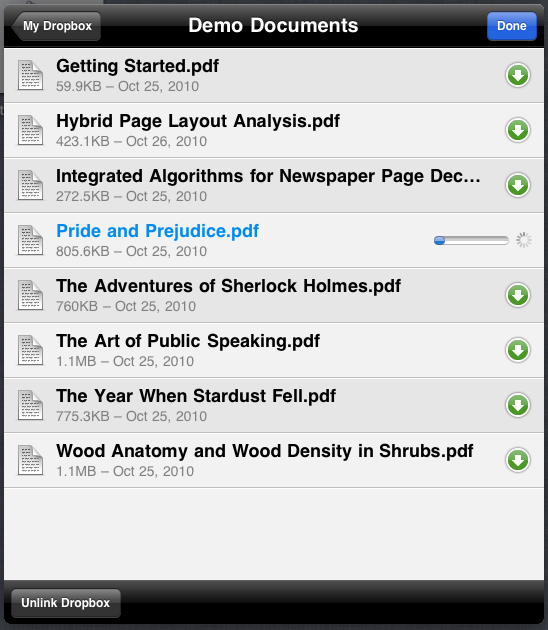
Dropbox Integration
Use Dropbox? You can easily download your documents from there — and upload your annotations automatically.
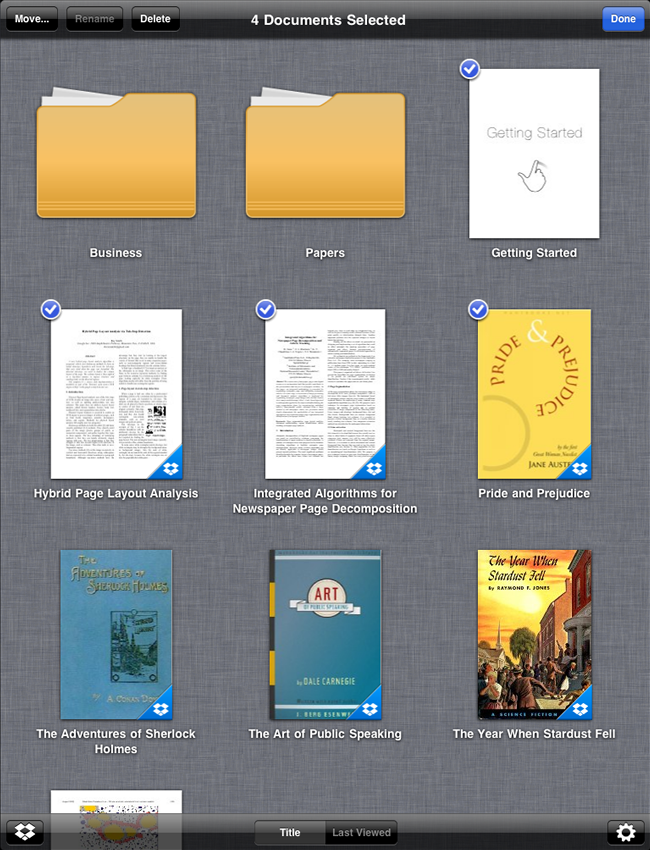
Folders
Have a lot of documents? You can organize them easily in folders and subfolders — New in version 1.1.

In the Press

“These features are winners on their own, but the little details are what really make the app. Turn a page while zoomed in, for example, and the app respects the zoom level, but shifts up to the top of the next page, ready to read. Page navigation is classy, too, with a Pages-style loupe which shows thumbnail previews as you slide your finger across the navigation-bar at the bottom of the screen.”

“The level of polish is very high, and it's hard to see what could be added in a future release.”
—Wired